Yes, you can use task variables to set report recipients dynamically. The configuration steps are as follows:
Step 1: Create a variable within your task
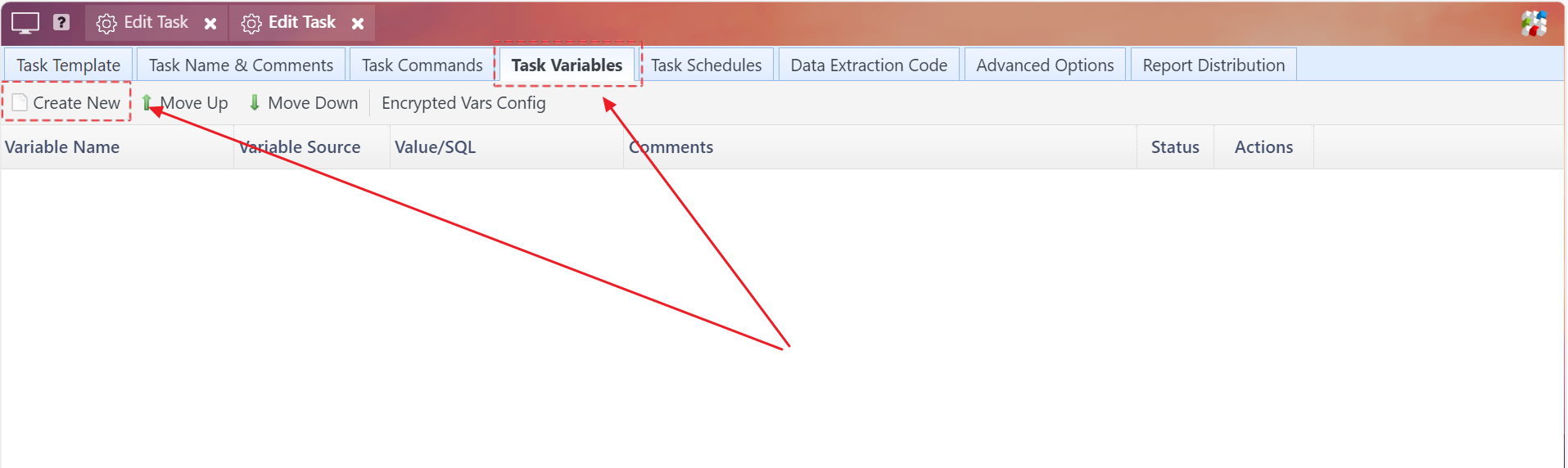
Head over to the task’s variables tab and add a new custom variable.
Step 2: Configure the variable settings
- Name it anything you like, for example TargetEmail
- Change its Value Source to Read from database
- Pick your data source and input the SQL query.
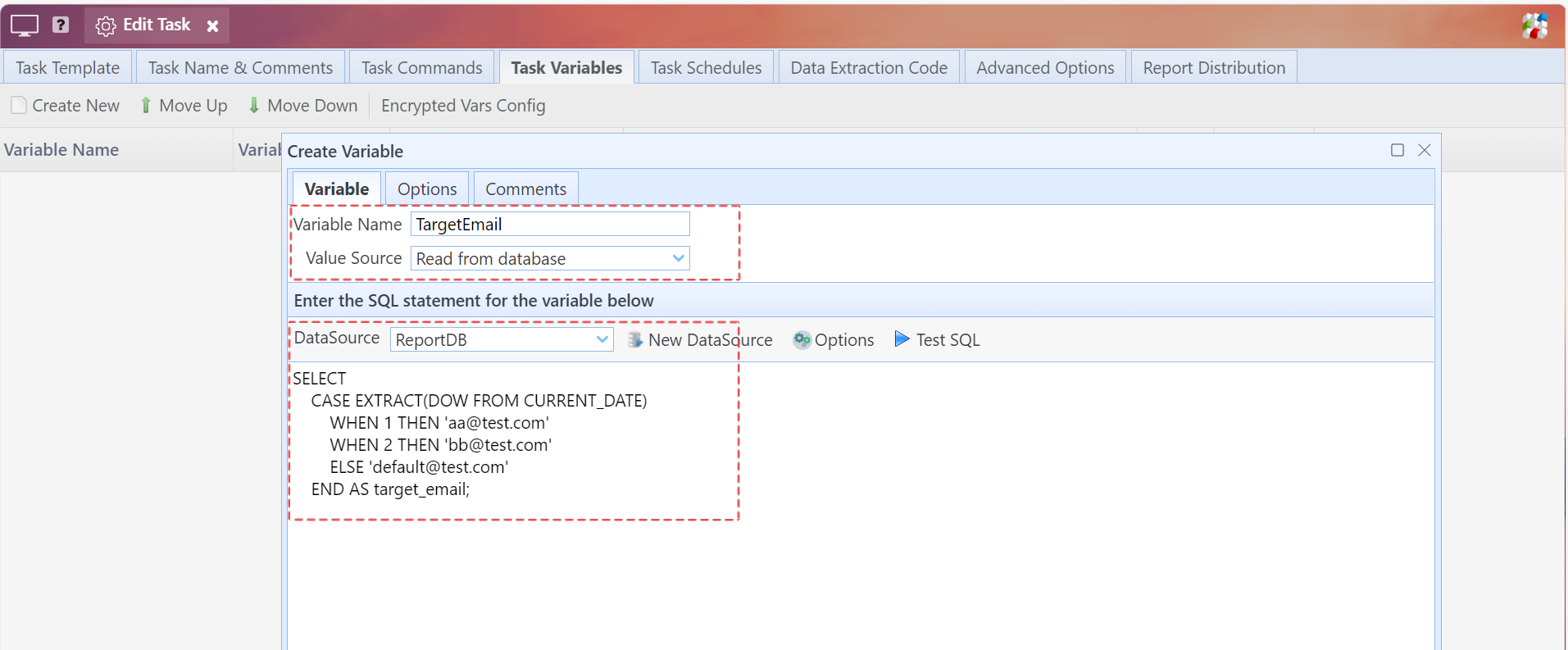
Configure the variable settings
Step 3: Link the variable to email recipients
Go to your task’s recipient settings, click Add From Variable, then select the TargetEmail variable you just made.
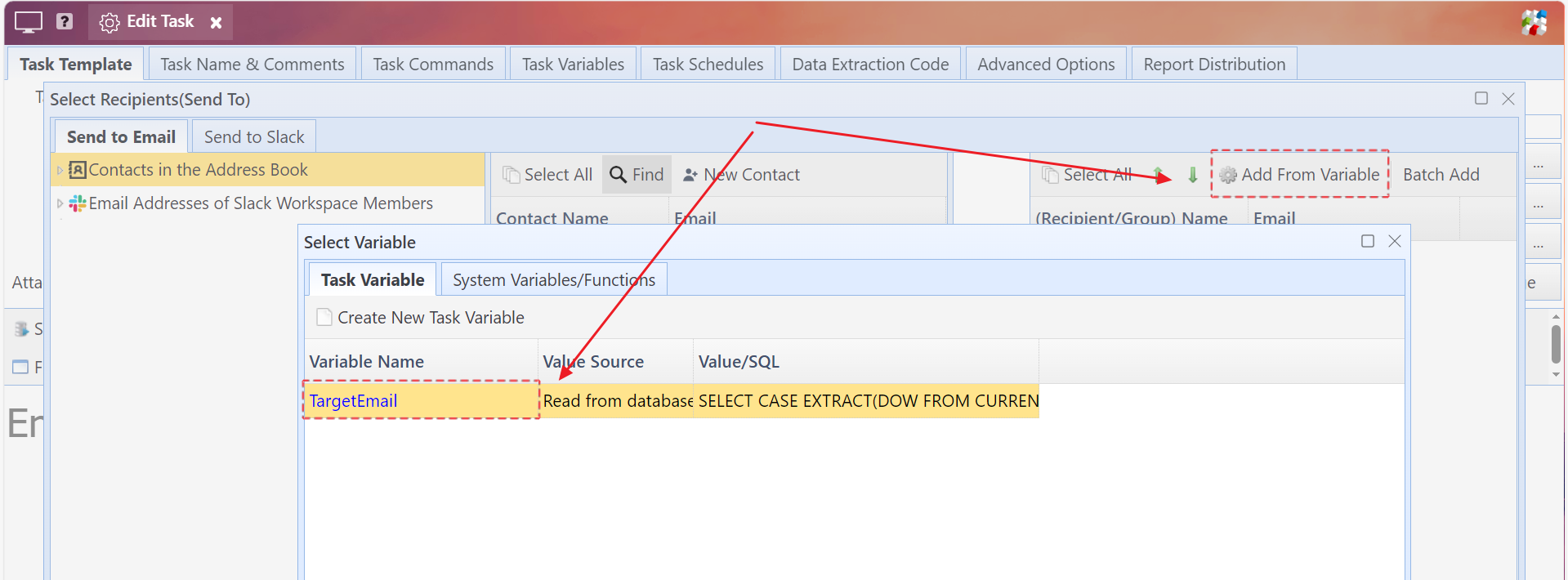
Link the variable to email recipients
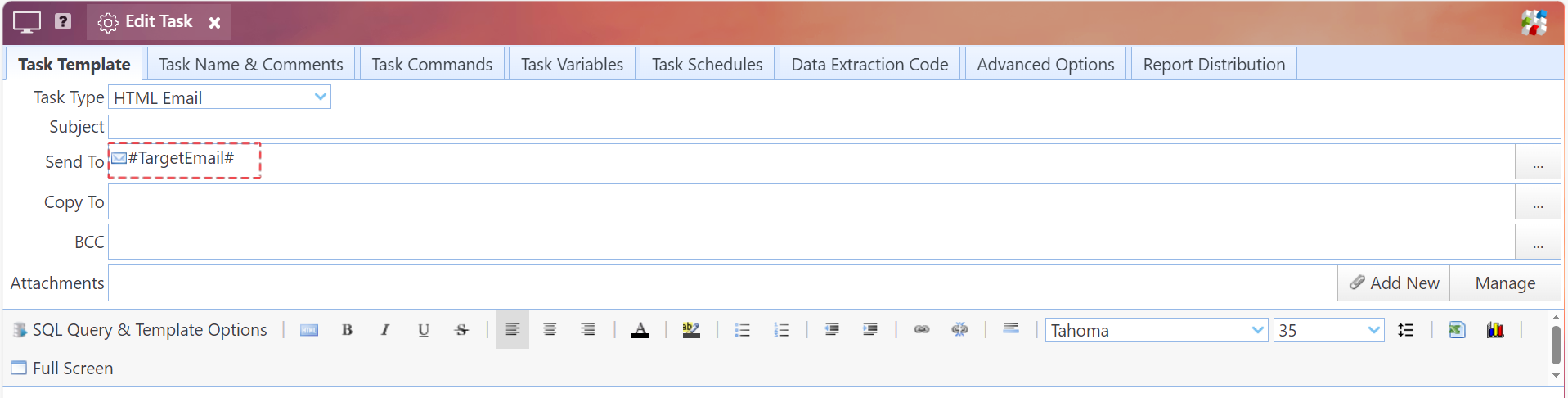
Completed recipient variable configuration
When the task runs, SQLMessenger will execute the SQL statement defined in the variable first, and use the returned email addresses as the task’s recipients. This allows you to automatically switch recipients based on weekdays or other custom conditions.
Full detailed documentation: https://www.sqlmessenger.com/manual/31.1.1.htm