Many users have asked how to embed Excel tables or PDF files as pictures directly into the HTML email body instead of only sending attachments. Here I share the complete operation guide supported by SQLMessenger 2.4, with real sales report case demonstration.
Core Function Introduction
SQLMessenger v2.4 built-in file-to-image conversion capability, which can render Excel/PDF attachments into pictures and embed them in email content automatically when tasks execute. Perfect for sending sales data, report tables to business partners without messy attachments.
Important Preconditions & Limitations
Microsoft Excel must be locally installed for Excel file conversion
Only Sheet1 content will be converted for Excel files
Password-locked PDF files cannot be converted successfully
Step-by-Step Configuration Process
Pre-add Excel/PDF attachment template to your task (refer to Attachment Template Management manual for details)
Open email body designer, right-click target position → Insert Image
Hit Select Image button, tick the option "Convert attached file to an image", then pick your report attachment template
Confirm with OK, adjust image width & height in the pop-up window
Save template: an image placeholder icon will display in editor, double-click to modify source and resolution later
Effect Preview
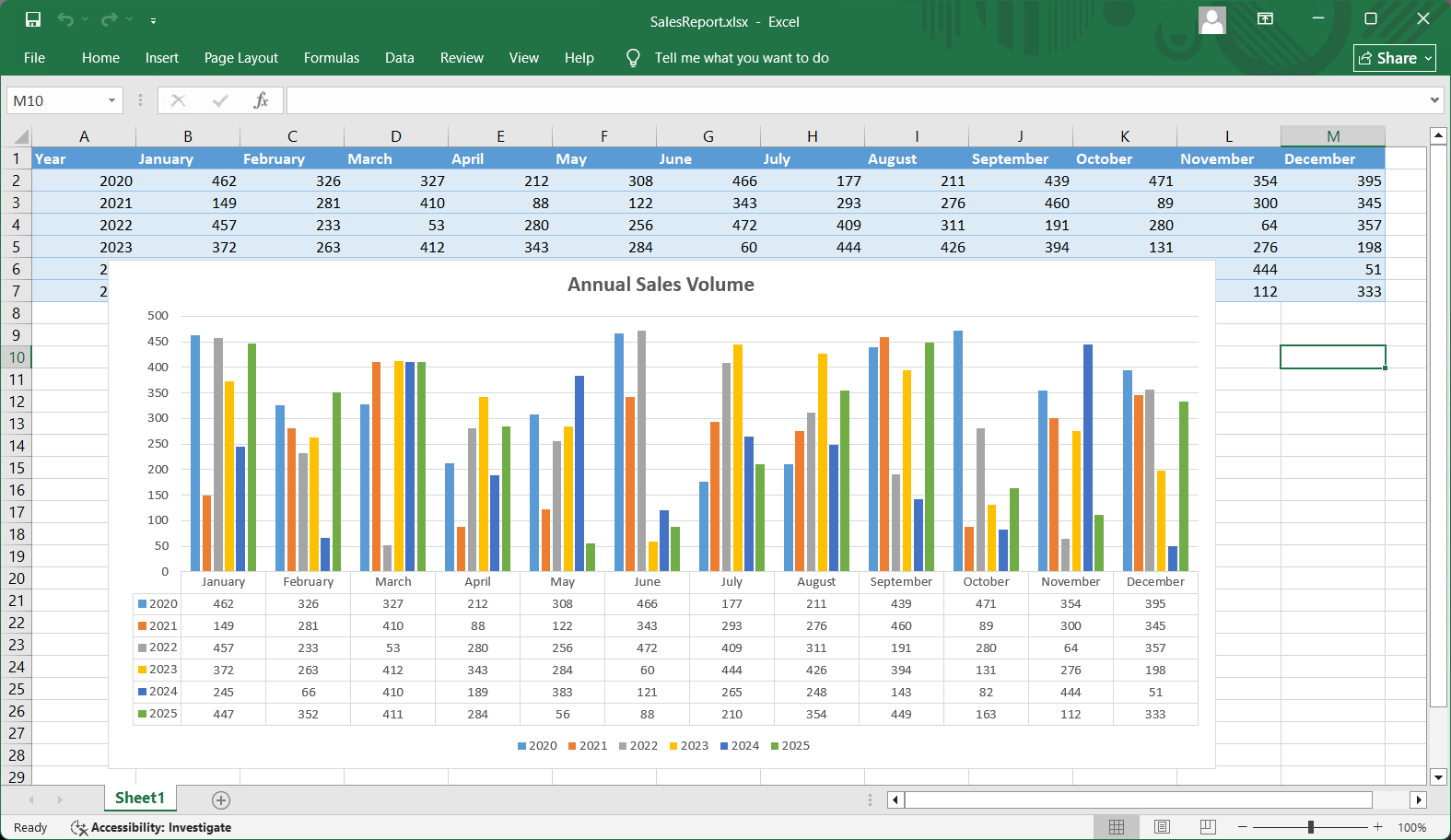
Original Excel table before conversion
When the task triggers, the system auto converts the attached SalesReport.xlsx to image and displays it inside email body, recipients can view complete data tables and charts at a glance without downloading files.
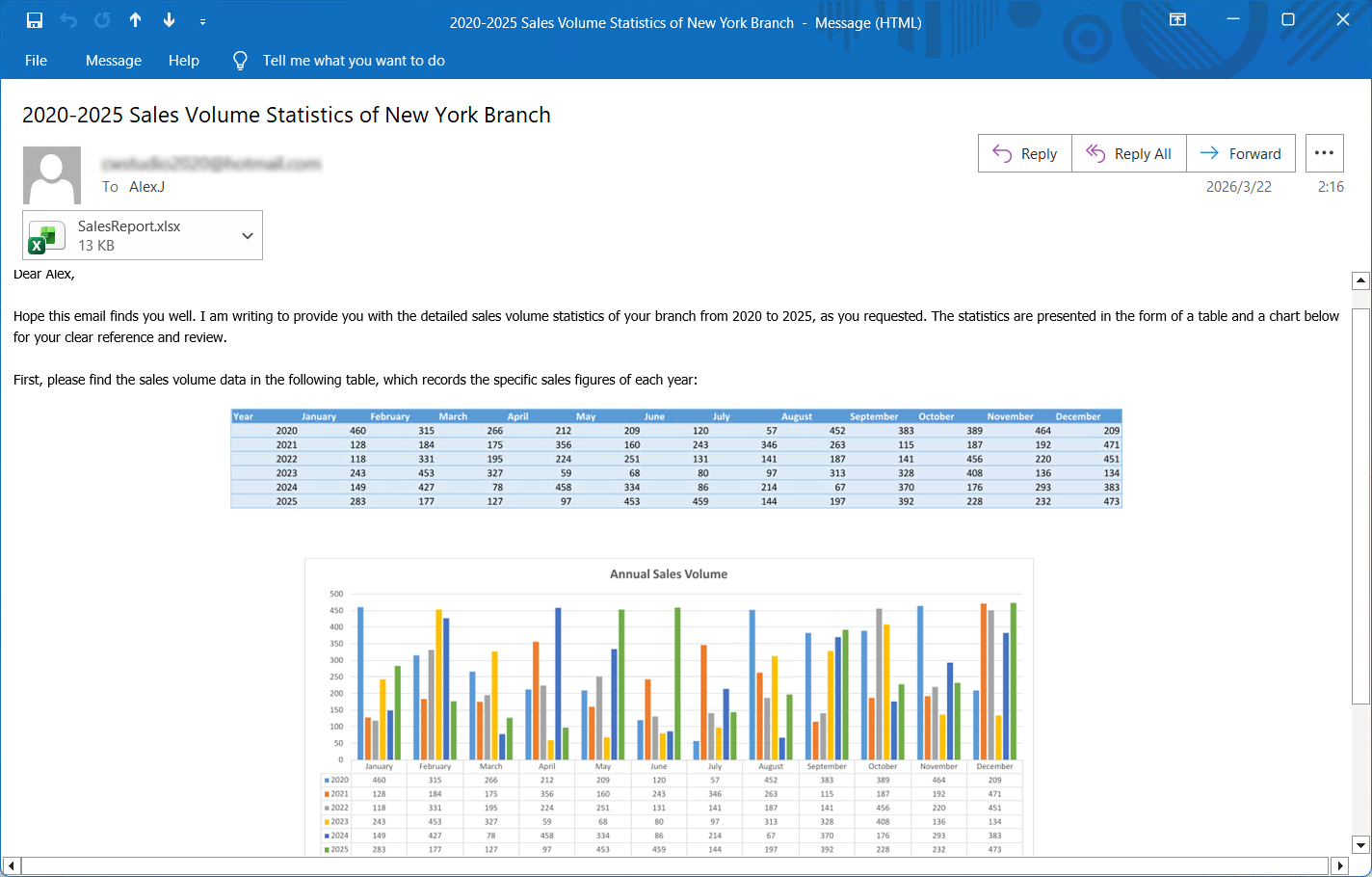
Rendered image embedded in email body
Full Official Document
Complete steps + real sales volume case screenshots are attached in the official doc: https://sqlmessenger.com/docreader.html?id=614
If you encounter conversion failures or size adjustment issues, feel free to comment below for discussion! 😃