Yes, this can be done. In SQLMessenger, you can create multiple schedules for a single task.
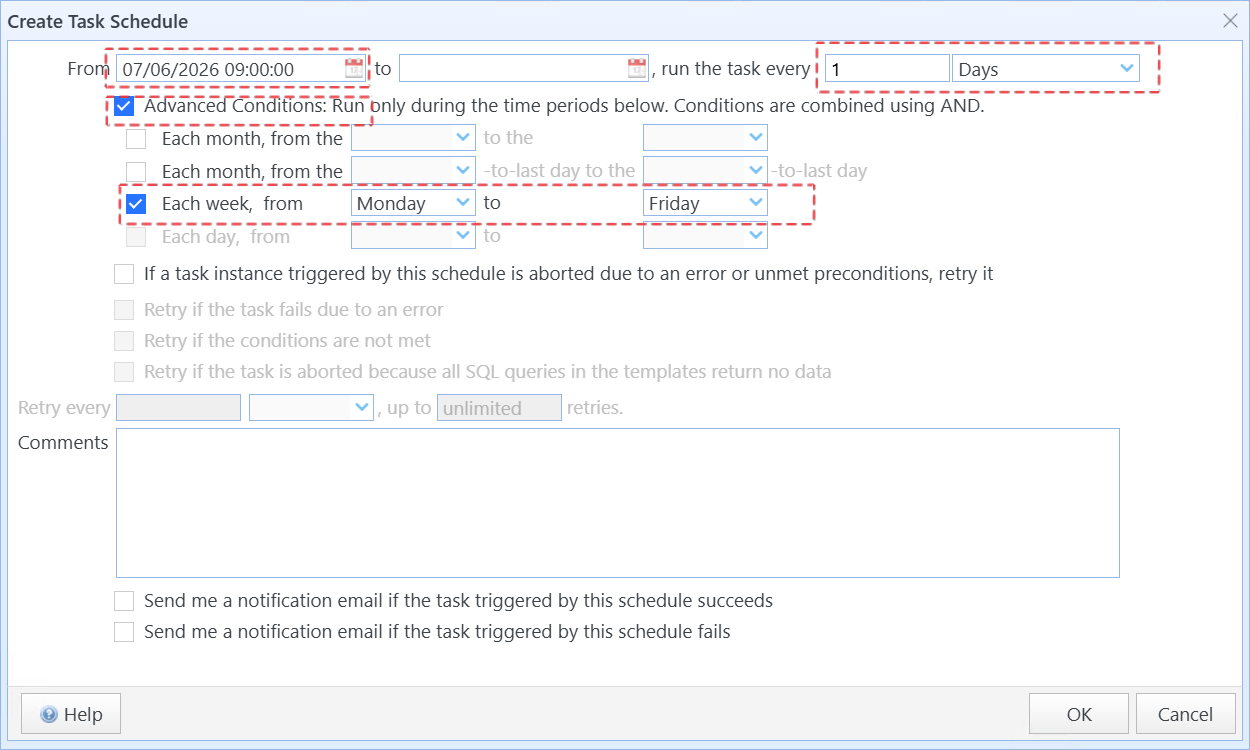
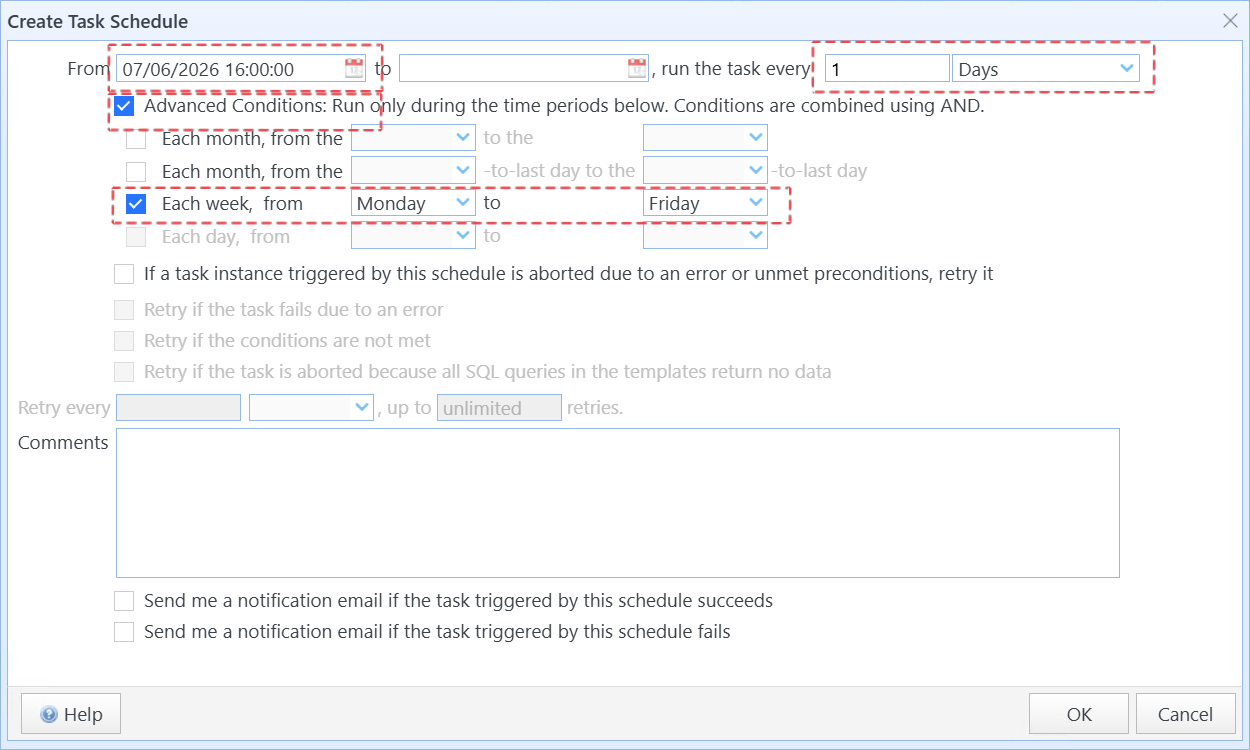
For your scenario, you can configure it as follows:
Add the first schedule under Task Schedules for the task and configure it as shown below:
Add a second schedule under Task Schedules and configure it as shown below:
After completing the configuration, click the Deploy button to apply the new settings.
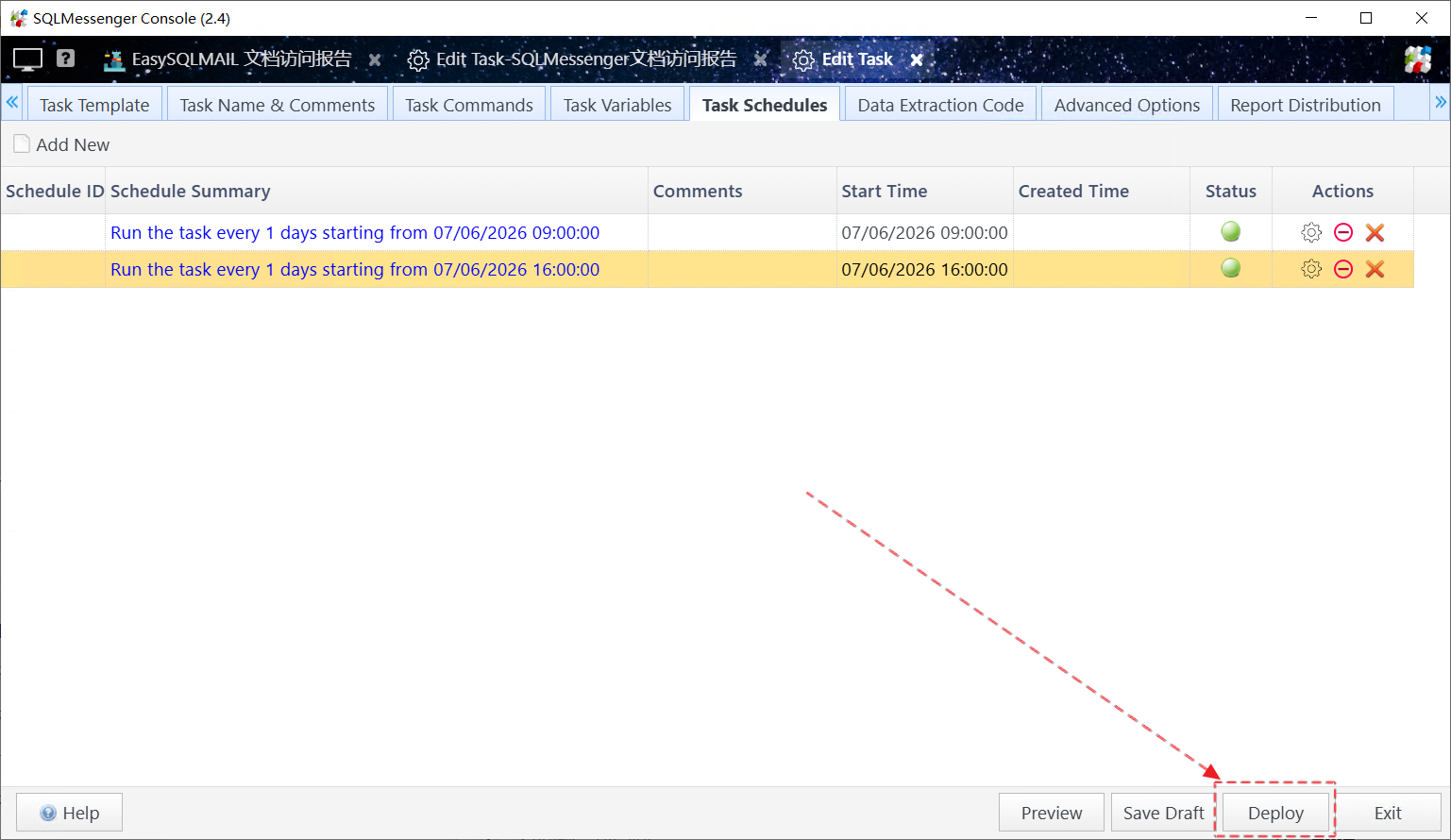
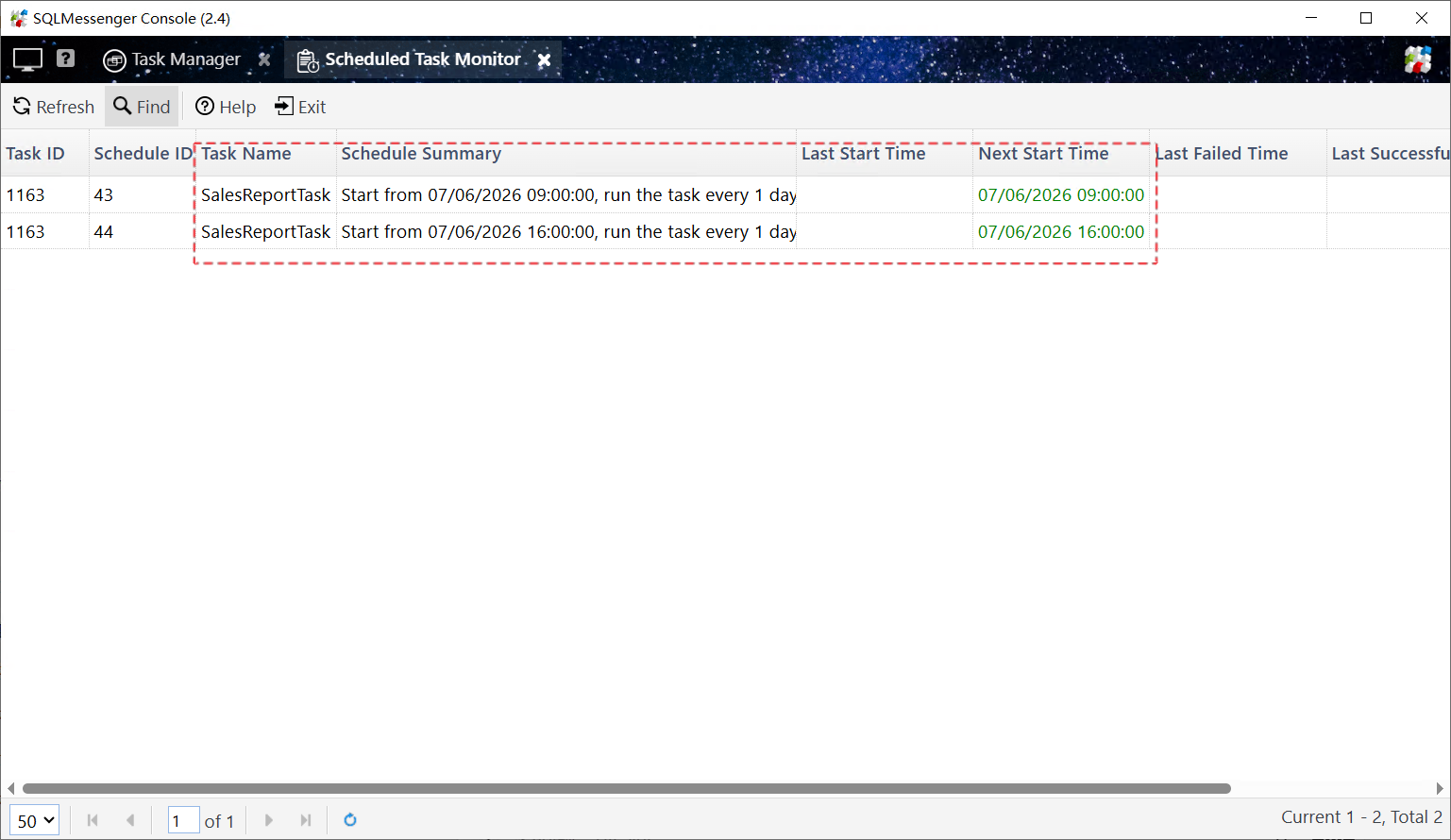
Once deployed, the task will run automatically at 9:00 AM and 4:00 PM on every weekday.
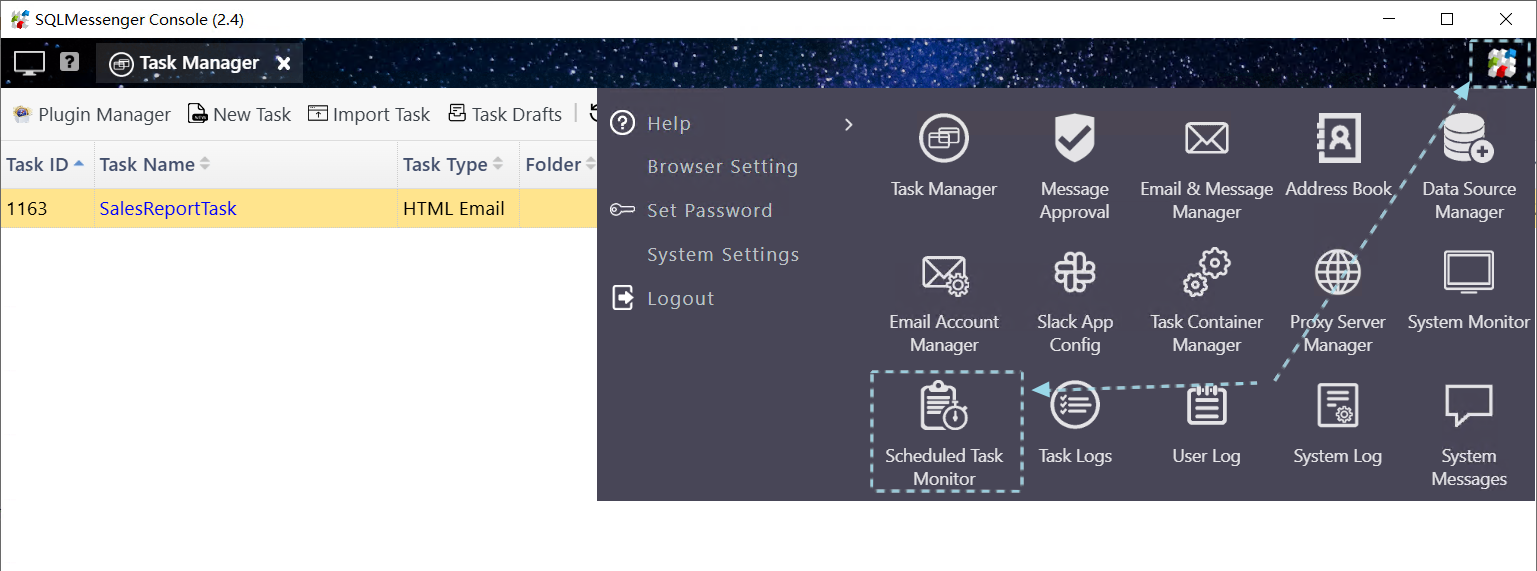
You can check the next execution time of the task in Scheduled Task Monitor.
For detailed documentation on Task Schedule configuration, please refer to SQLMessenger Manual - Using Task Schedules.